
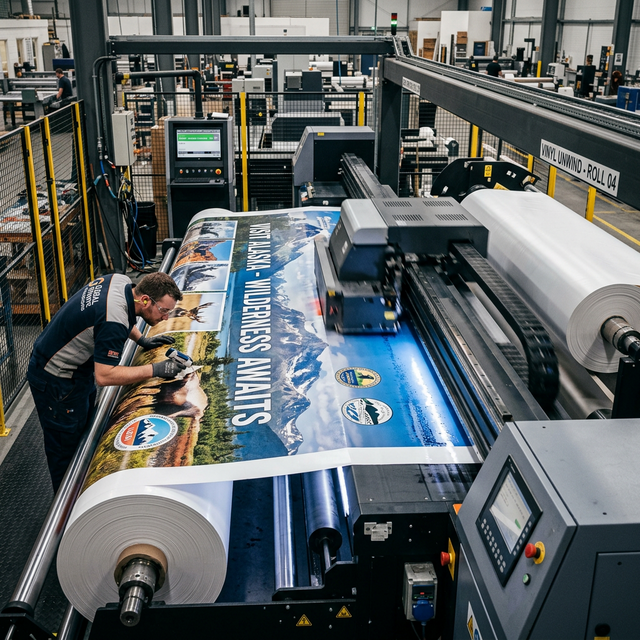
How to Set Printing Charges for Static Billboards with AdBoard Booking
Static billboards require professional printing and installation, which adds production costs beyond the basic advertising space rental. AdBoard Booking provides a flexible system to configure printing charges that accurately reflect your production expenses. This guide will walk you through everything you need to know about setting up printing charges for static billboards.
Understanding Printing Charges
Printing charges are additional costs associated with producing and installing physical billboard materials. Unlike digital billboards that display content electronically, static billboards require:
- Design and artwork preparation
- Large-format printing (vinyl, fabric, or other materials)
- Lamination and finishing
- Installation and mounting
- Material costs (varies by size and material type)
These costs are separate from the billboard space rental and should be configured in your workspace booking settings.
Why Printing Charges Matter
For Billboard Owners
Setting accurate printing charges ensures you:
- Recover production costs without eating into your rental revenue
- Offer transparent pricing to advertisers upfront
- Maintain profitability on static billboard bookings
- Account for material and labor costs accurately
For Advertisers
Transparent printing charges help advertisers:
- Budget accurately for their campaigns
- Understand total costs before booking
- Compare options across different billboards
- Plan production timelines effectively
Types of Printing Charges
AdBoard Booking supports three flexible pricing models for printing charges:
1. Fixed Charges
A flat fee regardless of billboard size. Best for:
- Standardized production processes
- Small to medium billboards with consistent costs
- Simplified pricing for advertisers
Example: ₹5,000 fixed charge for any static billboard up to 20x10 feet.
2. Per Square Foot (SQFT) Charges
Charges based on the total area of the billboard. Calculated as:
Total Charge = Width (feet) × Height (feet) × Rate per sqft
Best for:
- Large billboards where material costs scale with size
- Accurate cost recovery based on actual material usage
- Fair pricing that reflects production complexity
Example: ₹50 per square foot for a 20x10 foot billboard = ₹10,000 total.
3. Per Linear Foot (FOOT) Charges
Charges based on the sum of width and height dimensions. Calculated as:
Total Charge = (Width + Height) × Rate per linear foot
Best for:
- Installation-focused pricing where perimeter matters more than area
- Simplified calculations for advertisers
- Border and framing costs that scale with dimensions
Example: ₹500 per linear foot for a 20x10 foot billboard = ₹15,000 total (30 linear feet).
How Printing Charges Are Calculated
The AdBoard Booking system automatically calculates printing charges when:
- A campaign includes static billboards (signage type:
STATIC_BILLBOARD) - Workspace booking settings have printing charges configured
- Billboard specifications include screen size dimensions
Calculation Process
- System identifies static billboard bookings
- Retrieves billboard dimensions from player specifications
- Converts units if needed (inches, cm, meters → feet)
- Applies configured charges based on charge type:
- Fixed: Adds the fixed amount
- Per SQFT: Multiplies area by rate
- Per FOOT: Multiplies linear feet by rate
- Displays total in campaign pricing breakdown
Unit Conversion
The system automatically handles unit conversions:
- Inches → Feet (divide by 12)
- Centimeters → Feet (divide by 30.48)
- Meters → Feet (multiply by 3.28084)
- Feet → Feet (no conversion needed)
Setting Up Printing Charges
Step 1: Access Workspace Settings
Navigate to your workspace booking settings where printing charges are configured. This is typically done through:
- Workspace admin dashboard
- Booking settings configuration
- API or admin interface
Step 2: Configure Charge Structure
Define your printing charges based on your production costs:
Example Configuration:
{
  "printingCharges": [
    {
      "type": "FIXED",
      "amount": 5000,
      "unit": null
    },
    {
      "type": "PER_UNIT",
      "amount": 50,
      "unit": "SQFT"
    }
  ]
}
Step 3: Set Appropriate Rates
Consider these factors when setting rates:
- Material costs (vinyl, fabric, etc.)
- Printing equipment and consumables
- Labor costs for installation
- Market rates in your area
- Profit margin you want to maintain
Step 4: Test Your Configuration
Before going live:
- Create a test campaign with static billboards
- Verify calculations match your expectations
- Check pricing breakdown displays correctly
- Confirm total costs are accurate
Real-World Examples
Example 1: Small Billboard (10x8 feet)
Configuration:
- Fixed charge: ₹3,000
- Per SQFT: ₹40
Calculation:
- Area: 10 × 8 = 80 sqft
- Fixed: ₹3,000
- Area-based: 80 × ₹40 = ₹3,200
- Total: ₹6,200
Example 2: Large Billboard (40x20 feet)
Configuration:
- Fixed charge: ₹5,000
- Per SQFT: ₹45
Calculation:
- Area: 40 × 20 = 800 sqft
- Fixed: ₹5,000
- Area-based: 800 × ₹45 = ₹36,000
- Total: ₹41,000
Example 3: Linear Foot Pricing (30x15 feet)
Configuration:
- Per FOOT: ₹600
Calculation:
- Linear feet: 30 + 15 = 45 feet
- Total: 45 × ₹600 = ₹27,000
Best Practices
1. Research Market Rates
Before setting your charges:
- Survey local printers for current rates
- Check competitor pricing (if available)
- Consider regional variations in material costs
- Account for inflation and material price fluctuations
2. Use Multiple Charge Types
Combine fixed and area-based charges to cover:
- Base setup costs (fixed charge)
- Variable material costs (per sqft charge)
This ensures you recover both fixed and variable expenses.
3. Keep Pricing Transparent
- Display charges clearly in booking summaries
- Explain what's included in printing charges
- Provide itemized breakdowns when requested
- Set expectations upfront
4. Review and Update Regularly
Printing costs change over time:
- Review quarterly or semi-annually
- Adjust for material price changes
- Update based on equipment upgrades
- Consider seasonal variations
5. Document Your Pricing Strategy
Maintain clear documentation:
- Why rates are set at specific levels
- What costs are included in each charge type
- How to adjust rates in the future
- Historical pricing for reference
Common Scenarios
Scenario 1: Standard Vinyl Printing
Typical Costs:
- Material: ₹30-50 per sqft
- Printing: ₹10-20 per sqft
- Installation: ₹5,000-10,000 fixed
Recommended Configuration:
- Fixed: ₹7,500 (installation)
- Per SQFT: ₹60 (material + printing)
Scenario 2: Premium Fabric Printing
Typical Costs:
- Material: ₹40-70 per sqft
- Printing: ₹15-25 per sqft
- Installation: ₹8,000-15,000 fixed
Recommended Configuration:
- Fixed: ₹10,000 (installation)
- Per SQFT: ₹80 (material + printing)
Scenario 3: Quick Turnaround
Additional Considerations:
- Rush fees for expedited production
- Weekend or after-hours installation
- Special material requirements
Recommended Configuration:
- Add fixed charge for rush orders
- Or create separate charge tiers
Troubleshooting Common Issues
Issue: Charges Not Appearing
Possible Causes:
- Billboard not marked as
STATIC_BILLBOARDtype - Workspace booking settings not configured
- Screen size dimensions missing
Solutions:
- Verify signage type in billboard settings
- Check workspace booking settings configuration
- Ensure player specifications include dimensions
Issue: Incorrect Calculations
Possible Causes:
- Unit conversion errors
- Missing dimensions
- Charge configuration errors
Solutions:
- Verify unit settings (feet, inches, meters, cm)
- Check that all dimensions are provided
- Review charge type and unit settings
Issue: Charges Too High/Low
Possible Causes:
- Rates not aligned with actual costs
- Market rates changed
- Configuration errors
Solutions:
- Review actual production costs
- Research current market rates
- Adjust rates in workspace settings
Integration with Campaign Pricing
Printing charges are seamlessly integrated into the campaign pricing system:
- Displayed separately in pricing breakdowns
- Added to subtotal before discounts
- Included in total campaign cost
- Shown in booking summaries for transparency
Pricing Breakdown Example
Base Rental: ₹50,000
Printing Charges: ₹10,000
Subtotal: ₹60,000
Discount (10%): -₹5,000
Total: ₹55,000
Future Enhancements
The printing charges system continues to evolve with potential future features:
- Material type selection (vinyl, fabric, mesh)
- Finish options (lamination, UV protection)
- Installation complexity factors
- Seasonal pricing adjustments
- Bulk booking discounts on printing
Conclusion
Setting up printing charges correctly is essential for static billboard owners to maintain profitability and provide transparent pricing to advertisers. By understanding the different charge types and following best practices, you can create a pricing structure that accurately reflects your production costs while remaining competitive in the market.
Key Takeaways:
- Use fixed charges for base setup costs
- Use per square foot for material-based pricing
- Use per linear foot for installation-focused pricing
- Combine charge types for comprehensive cost recovery
- Review regularly to stay aligned with market rates
- Keep pricing transparent for advertiser trust
Ready to configure printing charges for your static billboards? Contact our support team for personalized assistance or browse available billboards to see printing charges in action.
Have questions about setting up printing charges? Our team is here to help. Reach out at support@adboardbooking.com or leave a comment below.